Until recently (like 3 weeks ago), my keyboard philosophy was relatively simple. Buy a cheap, decent keyboard (+ mouse combo) which is durable. Keep 3-4 copies of it for frequently visited places (home, parents’ home, one always in bag for co-working spaces etc.). For the last 10 years, I have had the following keyboards:
Logitech MK240 Nano x 3 ($20 per piece)
Logitech Pebble 2 Combo x 3 ($60 per piece)
See, this is modest and I was relatively happy with my setup. I don’t suffer from RSI or wrist issues (yet). Maybe because I don’t touch type? However, I do suffer from shoulder fatigue / feeling my chest is closed / squeezed (because mobile, compact keyboards).
But I was conveniently ignoring all this, including some of my friends who swear by the split / ergonomic keyboards. But a few days ago, a colleague 3D printed his own keyboard and my inspiration to look into split keyboards was re-ignited.
Anyways, three weeks in, this post is about my approach to getting into the split keyboards rabbit hole and some tips for those who are just getting started like me.
Validating the idea
Before even diving into all the resources above and spending “dozens of dollars” as a colleague called it, I wanted to see if any kind of split would make sense for me / how would that feel. So I did something hacky / funny (but surprisingly functional).
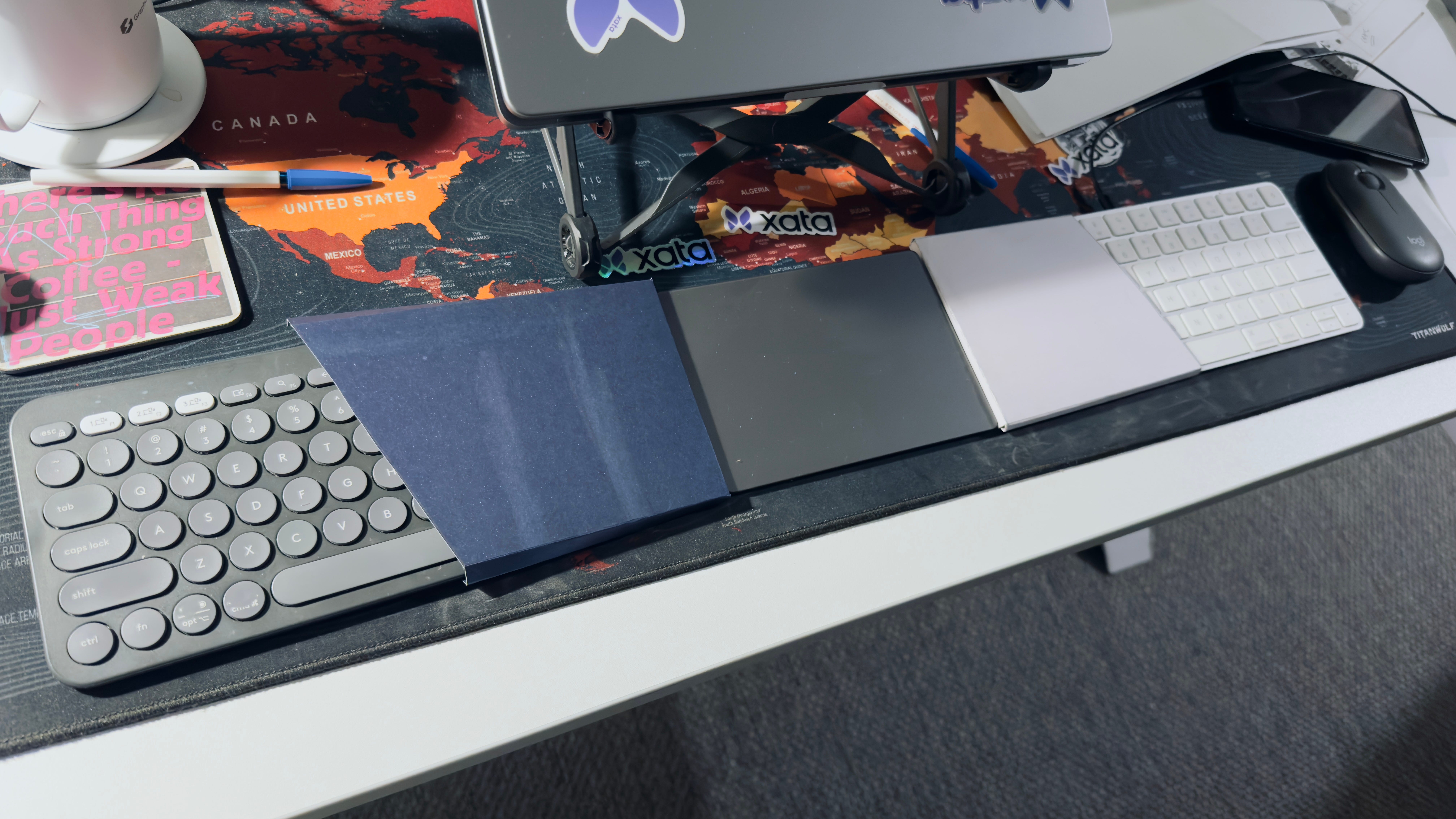
I connected two Bluetooth keyboards and used thick paper to block the keys as a split would have. It took me only ~30 minutes to get used to this setup and I could already feel the benefits of chest opening up because of the split. There was no going back from here.
But there was a problem (not visual, but functional). Since these are two keyboards connected separately to the laptop over Bluetooth, the modifier keys don’t work across the keyboards i.e. shift (left keyboard) + p (right keyboard) to print P. This was an annoyance, for the first time I was using right shift and other “redundant keys” on both sides.
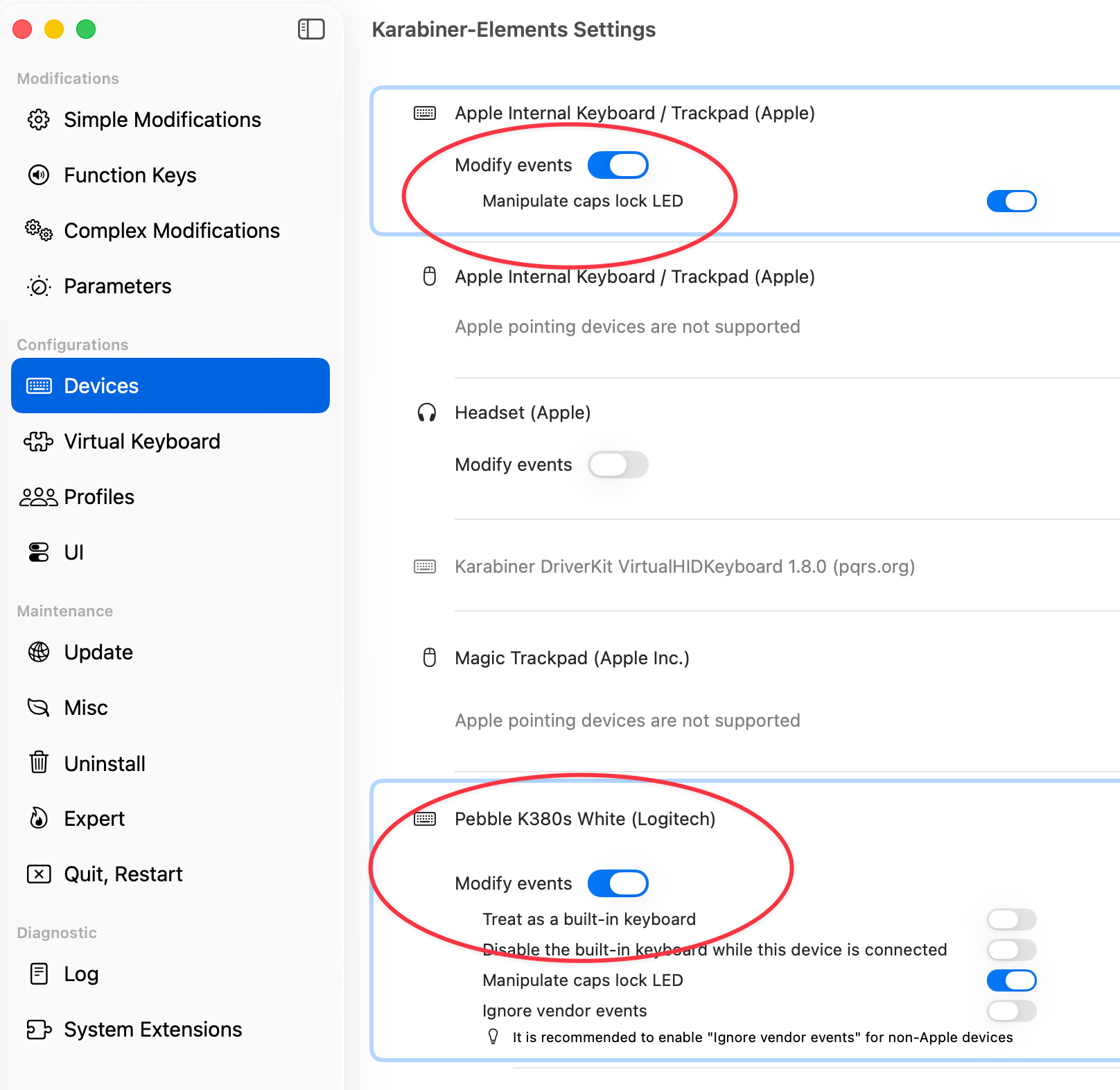
Luckily, there is a nice (almost turnkey) software solution to this. It is called Karabiner-Elements. It automatically detects all connected keyboards and other input devices and all I had to do was to toggle “Modify events” on. This was enough to share modifier key state between the two physical and completely separate keyboards.
Strategy / Plan
Based on the A Beginner’s Guide to Split Keyboards article, I want to do the following:
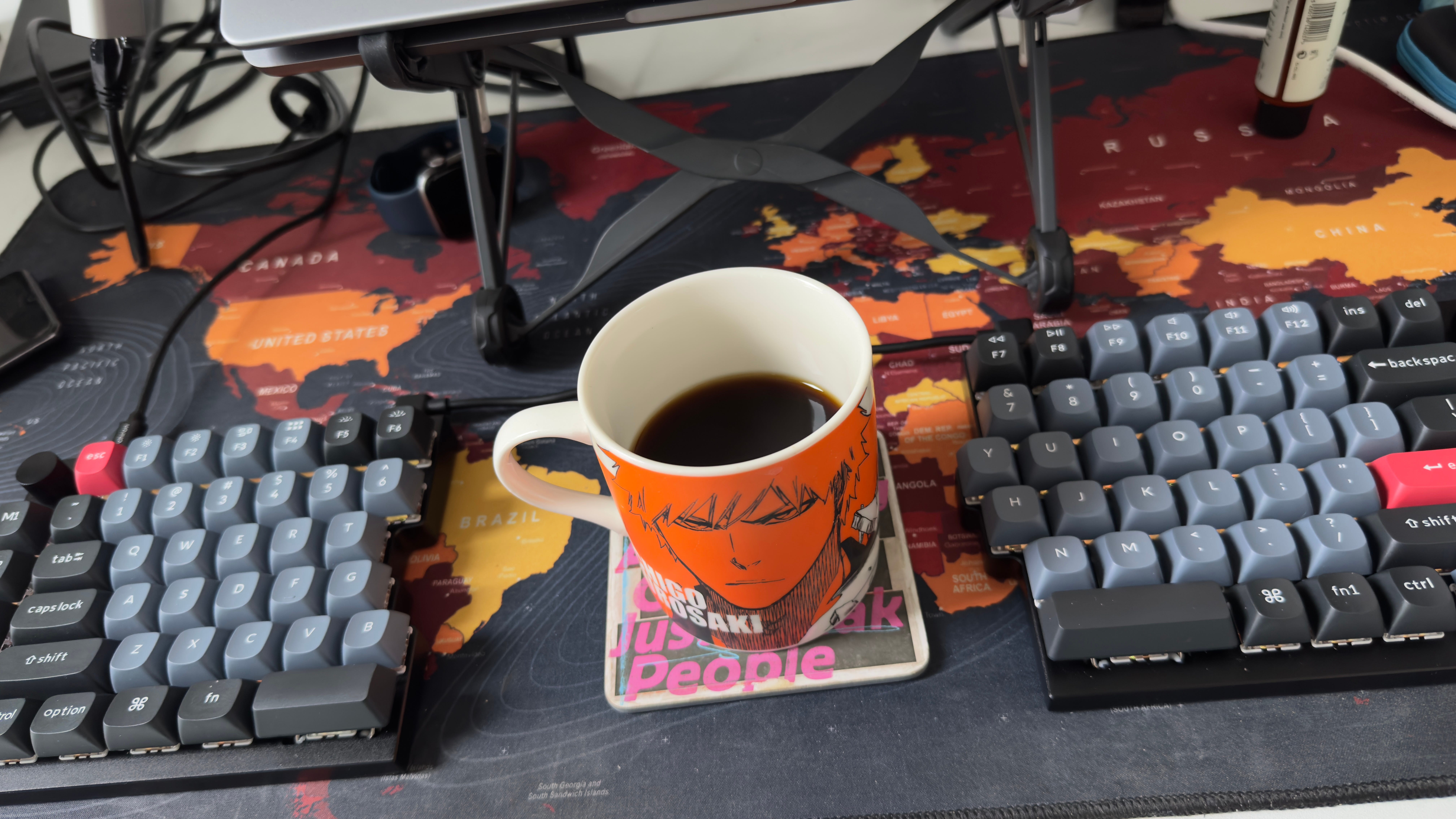
Get a simple row-staggered split keyboard: This matches my idea validation setup most closely. My goal is to be very productive from day 0. I am getting a Keychron Q11. It hasn’t arrived yet, but I am excited and a little worried as it is a high-profile keyboard, and for years now I am used to low-profile keys and slim keyboards.
Research a simple column-staggered split keyboard: My initial research (and trying it out at the meetup) points to the Lily58 as a good starting keyboard. I almost had it second-hand before another buyer beat me to it (darn it).
Prototype with cardboard: For research, I am using the splitkbcompare app and cardboard boxes to play around (very early days).
Consider a build: I might also try building something like a Cheapino or some other idea.
Falling into the rabbit hole
Here are some resources:
Concepts & Guides
A Beginner’s Guide to Split Keyboards → this is an absolute gem of a blog post to read about different types of keyboards, switches and keys, how to make a decision, what to look for etc.
Other useful glossary / terminology links
This is also a great resource to see what’s available out there in one place awesome-split-keyboards
Communities & Events
I got lucky here, I asked a friend who ‘knows tech stuff, especially devices’ that I am getting into the deep end of mechanical keyboards and voilà, he hosts this meetup (I didn’t know) and the next scheduled event was 3 days later. The cue here is to find a meetup / event around you, maybe something exists?
This meetup was good for 2 reasons:
I could validate my terminology understanding as I could hold conversations
A lot of folks brought their keyboards that were laid on the table to try / get a feel for switches etc.
Then there is this /r/ErgoMechKeyboards community
Inspiration (Videos)
34 keys is all you need: an ergonomic keyboard journey
Sounds crazy right? The answer to this is layers. Like when you hold shift, the lowercase letters become capital letters, that is a layer. In a keyboard with fewer keys, you have numpad on one layer, function keys on another layer (everyone maps their own, here is a concrete example and here is another one).
Closing
I am really excited to get into the world of split keyboards and I hope that this post inspired you to do the same.
Update
My Keychron Q11 arrived, took me about 3 hours to be productive and about a day or two to be more or less at the same typing speed as before. Love the key noise. Took me a while to get used to the higher profile keys but switching to something super low profile like the Apple’s magic keyboard (which I sometimes use when in a co-working space) is not an issue at all.